Pipelines require the Temporal orchestration engine and are available on Pro and Team
plans (and metered/Enterprise). Free can’t run pipelines.
The built-in bees
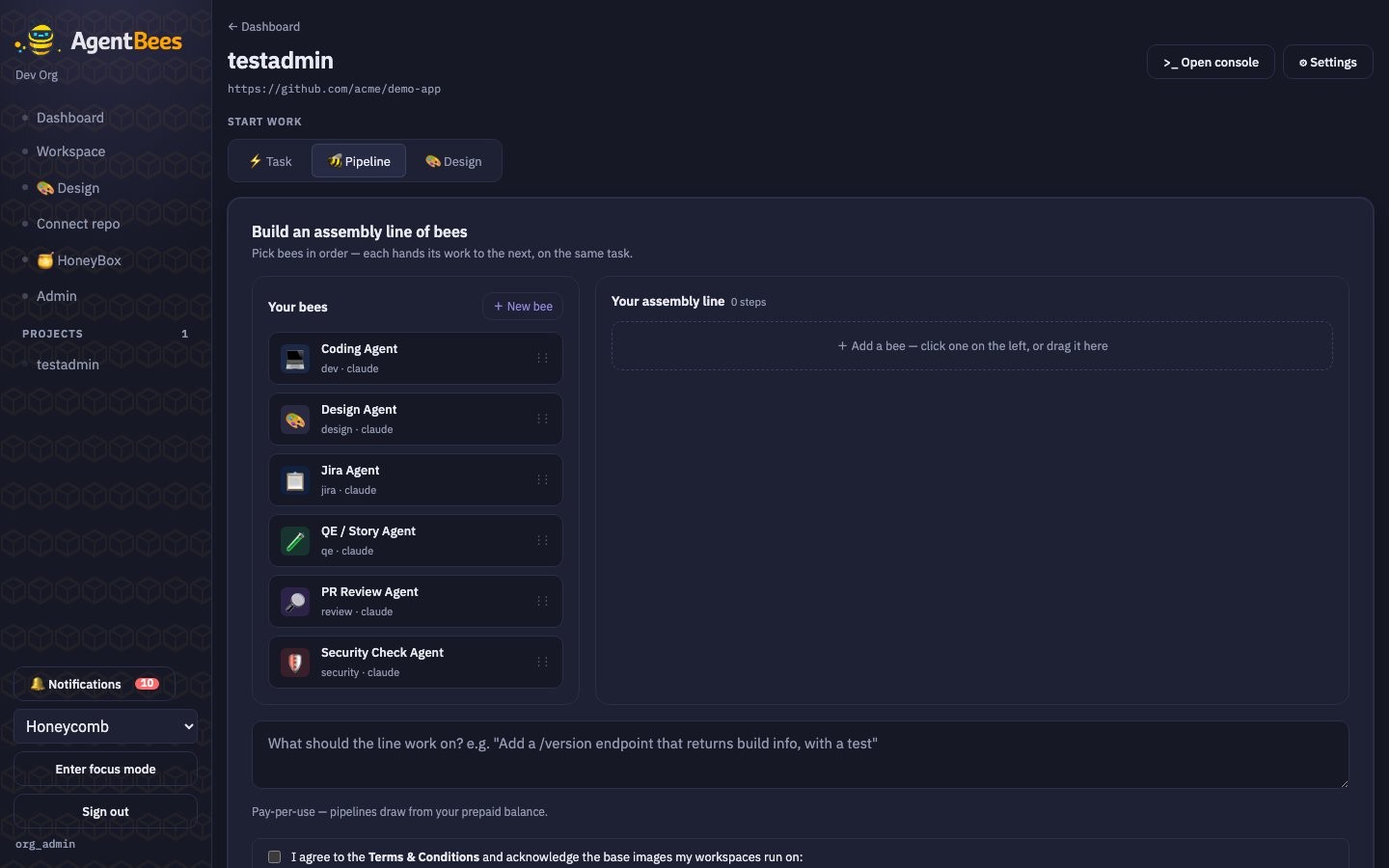
The pipeline builder — drag bees into an assembly line; each hands off to the next.
You can also create custom bees (name, role, icon, system prompt). A typical
line is dev → QE → review (add design, security, or Jira as needed). A lineup
has 1–12 agents, and the same agent may appear more than once.
Run one
1
Open the 🐝 Pipeline tab
On the project page.
2
Build the assembly line
Drag bees from Your bees into Your assembly line (or click to append). Reorder with ↑/↓;
remove with ×.
3
(Optional) per-stage model + Jira key
Set a model per stage. If a Jira bee is in the line, enter the issue key (e.g.
PROJ-123).4
Enter the goal, accept Terms, Run the line 🐝
You’re taken to the first stage’s task; run history and per-stage detail are on the pipeline
runs view.
pipeline/<short-id> from your default base
branch. Each stage is a real workspace with its own console and status.
Gated review with a remediation loop
When a lineup has a coding agent (dev) plus at least one gating role
(qe, review, or security), the pipeline runs a verdict-gated remediation
loop instead of a simple one-pass line:
1
Producers run first
Jira / design / dev run in order and push to the shared branch. The platform
opens the PR (not the agent).
2
Gates run in order, each must pass
Each gate posts a PR comment (findings) and an
agentbees/<role> commit
status. The next gate only runs if the previous one passed.3
A failure re-runs the coding agent
On a failing gate, the coding agent re-runs with a “fix” prompt (read the
failing checks + change requests, push to the same branch).
4
Re-verify from the first gate
Because a fix can regress an earlier gate, verification restarts from the first
gate. Per-stage caps apply (qe ≤4, review ≤3, security ≤3, dev/fix ≤5).
Quotas & slots
The builder shows “N of M pipelines used today” and disables Run when you’re blocked — with a prompt to run a smaller pipeline or upgrade.Jira integration
Add the Jira Agent and, when your org has Jira configured (base URL + email + token), it pulls the story intorequirements.md so downstream bees build against
real acceptance criteria. Set the issue key per run; a default project can be
configured per agent.