What is AgentBees?
AgentBees runs agentic coding CLIs — Claude, Codex, Gemini, and Kiro — inside isolated, sandboxed cloud workspaces. Point an agent at a repository, describe a task in plain language, and it works in its own branch while you watch the terminal, review the diff, and merge when you’re happy. Everything runs on your repos and your model credentials. Each task gets its own container, its own git worktree, and its own scoped access — so you can run many agents in parallel without them stepping on each other.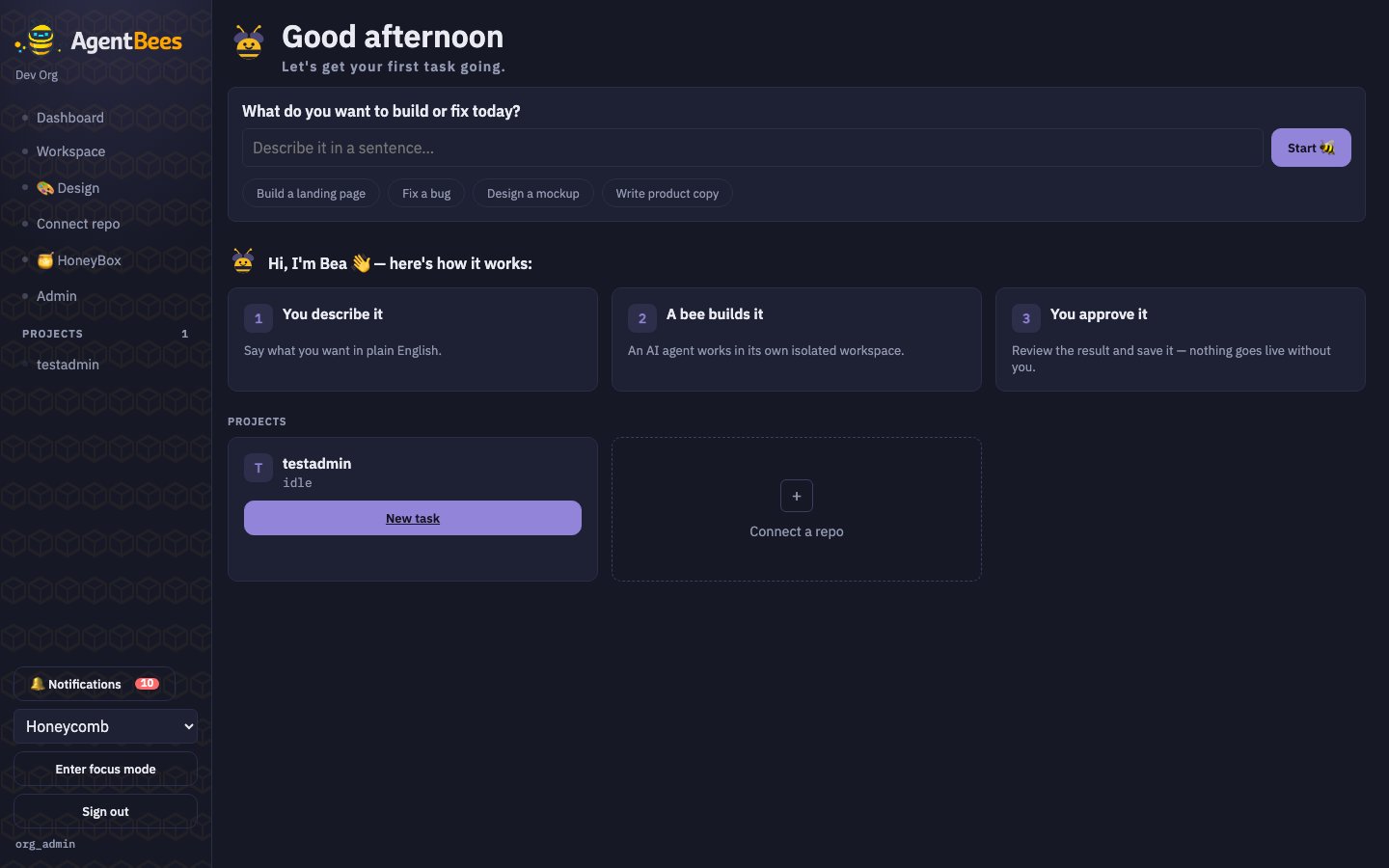
The AgentBees dashboard — describe a task, or open one of your projects.
Create a task
Describe what you want; an agent does it in an isolated workspace and opens a branch.
Pick your CLI
Claude, Codex, Gemini, or Kiro — choose per task, bring your own model keys.
Run a pipeline
Chain multiple agents (dev → review → QE) into one gated, multi-agent run.
Web IDE
Open any task in a full browser VS Code, wired to the live workspace.
Why teams use it
- Parallelism. Run several agents at once, each in its own sandbox. A shared per-org compute pool packs them densely; idle workspaces cost nothing.
- Isolation & safety. Every workspace is a locked-down container with scoped repo access and per-task egress rules — the agent can’t reach anything it shouldn’t.
- Your models. Bring your own provider keys (Anthropic, OpenAI, Google) or route everything through an internal LLM gateway with guardrails.
- Review before merge. Nothing lands without your approval. Inspect the terminal, the diff, and inline comments; then approve and merge.
- Flexible billing. A flat monthly plan, pay-per-use metering from a prepaid wallet, or usage add-ons — pick what fits.
How it fits together
1
Onboard
Sign in with SSO or a password, land in your org, and (as an admin) configure your LLM provider
under Admin → Agent LLM.
2
Connect a repo
Add a repository and a token. Agents clone it, branch from your default branch, and push their
work back for review.
3
Create a task
Write a prompt, pick a CLI agent and model, optionally enable the Web IDE, and run. The agent
provisions a workspace and starts working.
4
Review & merge
Watch the terminal, open the diff, leave inline comments, then approve and merge — or send it
back to the agent for changes.
Next steps
Onboarding
Sign in, roles, and how orgs work.
Quickstart
From zero to a merged agent change in a few minutes.
Pipelines
Multi-agent workflows with gated review.
Billing
Plans, pay-per-use, and add-ons.