> ## Documentation Index
> Fetch the complete documentation index at: https://docs.agentbees.ai/llms.txt
> Use this file to discover all available pages before exploring further.
# Connect a repo
> Add a repository so agents can clone it, branch, and push their work back.
Agents work on **your** repositories. Connecting one creates a **project** and
(for private repos) stores an encrypted credential the workspace uses to clone.
## Connect one
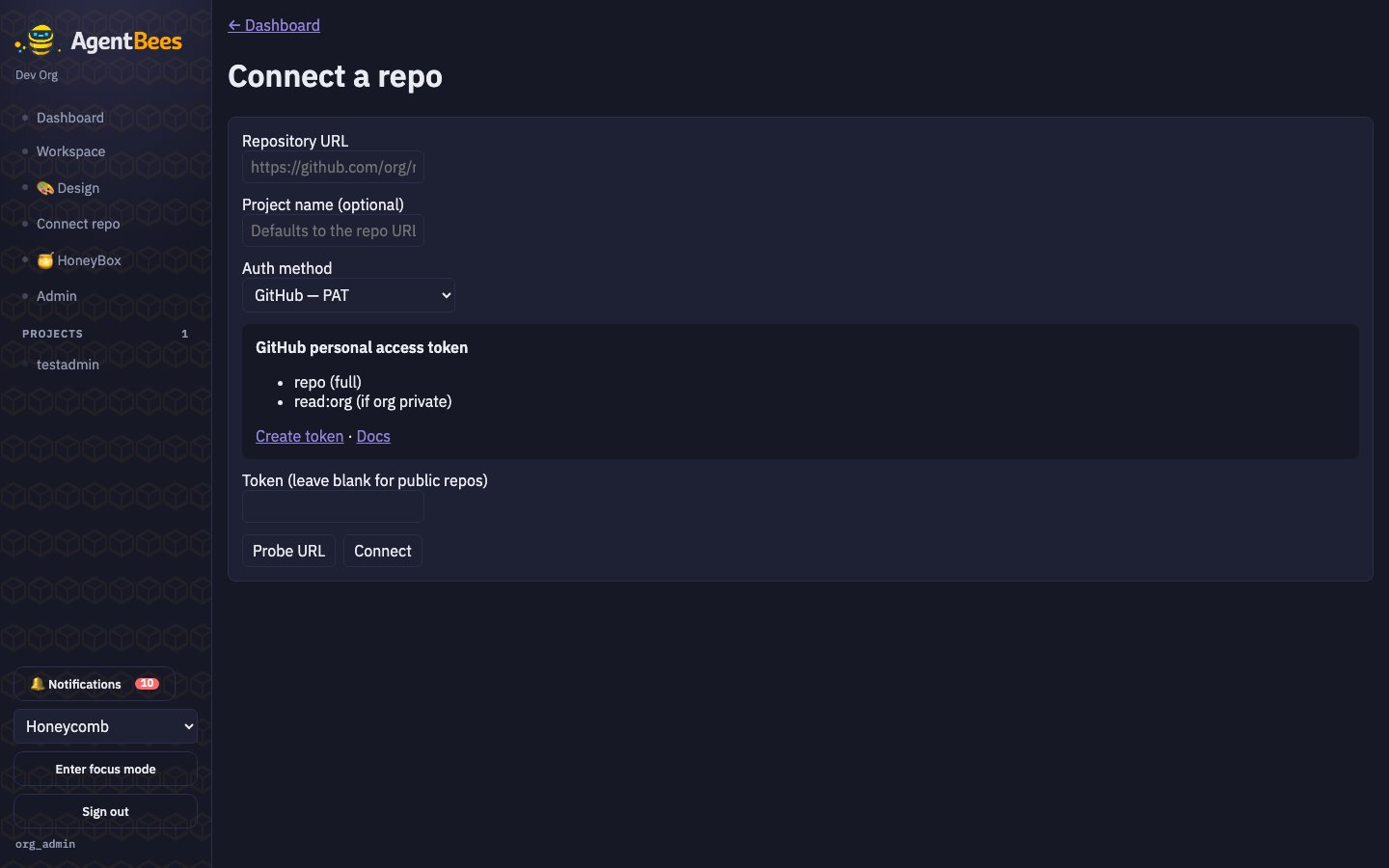 From the Dashboard, choose **Connect repo**, then:
e.g. `https://github.com/org/repo`. Optionally set a **project name** (defaults to the URL).
GitHub PAT, GitHub App installation, GitHub OAuth, GitLab PAT, or GitLab OAuth. A per-method
card shows the exact scopes to grant and links to create the token.
Paste your token — **or leave it blank for a public repo** (it's cloned anonymously). For a
GitHub App, enter the **installation ID** instead.
Check the URL is reachable and see the default branch.
Creates the project and, if you provided a credential, an encrypted repo connection — then drops
you on the project page.
## Scopes to grant
| Method | Scopes |
| ------------------ | --------------------------------------------------- |
| GitHub PAT | `repo` (full); `read:org` if the org is private |
| GitHub App | Contents: R/W · Pull requests: R/W · Metadata: Read |
| GitHub OAuth | `repo`, `read:user`, `user:email` |
| GitLab PAT / OAuth | `api`, `read_repository`, `write_repository` |
## Public vs private
**Public repos need no token** — the workspace clones them anonymously. Only private repos require
a credential. Leave the token field blank for public repos.
## How credentials are stored
Your token is **envelope-encrypted** (AES-256-GCM under an org-scoped, KMS-wrapped
key) and stored only in the repo-connections table — the one place git credentials
live. Connections can be listed and **revoked** at any time; the git credential is
short-lived and revocable, and is never written into a task manifest.
When an agent runs, it branches from your project's **default base branch**, works in its own
`task/…` branch, and pushes back for review — it never commits directly to your default branch.
From the Dashboard, choose **Connect repo**, then:
e.g. `https://github.com/org/repo`. Optionally set a **project name** (defaults to the URL).
GitHub PAT, GitHub App installation, GitHub OAuth, GitLab PAT, or GitLab OAuth. A per-method
card shows the exact scopes to grant and links to create the token.
Paste your token — **or leave it blank for a public repo** (it's cloned anonymously). For a
GitHub App, enter the **installation ID** instead.
Check the URL is reachable and see the default branch.
Creates the project and, if you provided a credential, an encrypted repo connection — then drops
you on the project page.
## Scopes to grant
| Method | Scopes |
| ------------------ | --------------------------------------------------- |
| GitHub PAT | `repo` (full); `read:org` if the org is private |
| GitHub App | Contents: R/W · Pull requests: R/W · Metadata: Read |
| GitHub OAuth | `repo`, `read:user`, `user:email` |
| GitLab PAT / OAuth | `api`, `read_repository`, `write_repository` |
## Public vs private
**Public repos need no token** — the workspace clones them anonymously. Only private repos require
a credential. Leave the token field blank for public repos.
## How credentials are stored
Your token is **envelope-encrypted** (AES-256-GCM under an org-scoped, KMS-wrapped
key) and stored only in the repo-connections table — the one place git credentials
live. Connections can be listed and **revoked** at any time; the git credential is
short-lived and revocable, and is never written into a task manifest.
When an agent runs, it branches from your project's **default base branch**, works in its own
`task/…` branch, and pushes back for review — it never commits directly to your default branch.